
OmniRoute
3.8.17Category: AI & Machine Learning
Overview
The Free AI Gateway - Never stop coding. Connect every AI tool to 177 providers — 50+ free — through one endpoint. Auto-fallback. RTK + Caveman compression saves 15–95% tokens. Never hit limits. ~1.9B+ documented free tokens/month — up to ~2.5B in your first month with signup credits.
Primary Use Cases
Run private, self-hosted AI models and inference pipelines for OmniRoute without sending data to third-party clouds.
Integrate with local LLM runners (Ollama, vLLM) and OpenAI-compatible API endpoints.
Build custom agentic workflows, document retrieval systems (RAG), and embeddings pipelines.
Key Features
- Hardware acceleration support for CPU and GPU container workloads
- Vector database compatibility for semantic search and knowledge bases
- Modern web UI with multi-user access and API key management
- 1-click Docker deployment with automated HTTPS reverse proxy in tug.sh
Container Specification
omniroute:latest
3.8.17
Automated Let's Encrypt (Caddy / Traefik)
Managed host volume mounts
How to Deploy OmniRoute with tug.sh
Connect your Linux server
Run the 1-line tug.sh agent install command on any Ubuntu, Debian, or Rocky Linux VPS.
Select OmniRoute from the Marketplace
Pick your domain name, configure custom environment variables if needed, and choose your persistent storage folder.
Click Deploy & Go Live
tug.sh pulls the container, sets up HTTPS certificates, configures the reverse proxy, and boots the service in under 60 seconds.
Deploy on Your Server
Experience effortless self-hosting. Deploy OmniRoute on Hetzner, DigitalOcean, or your home lab with zero maintenance headaches.
More in AI & Machine Learning
9Router
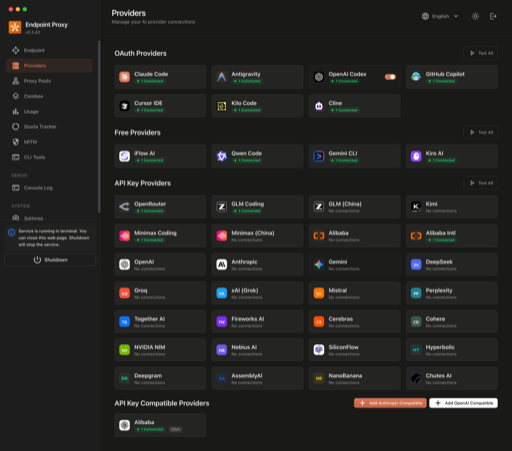
Self-hosted AI model router that rotates requests across 40+ providers with automatic fallback, exposing an OpenAI-compatible endpoint for coding agents.

Agent Zero
Agent Zero is an open-source autonomous AI agent framework with memory and tool use capabilities.

Anse
Anse is an open-source alternative to ChatGPT web UI, supporting OpenAI-compatible APIs.

AnythingLLM
AnythingLLM is a private, self-hosted, and local document chatbot platform that allows you to chat with your documents using various LLM providers.